
Architecture
High-level model
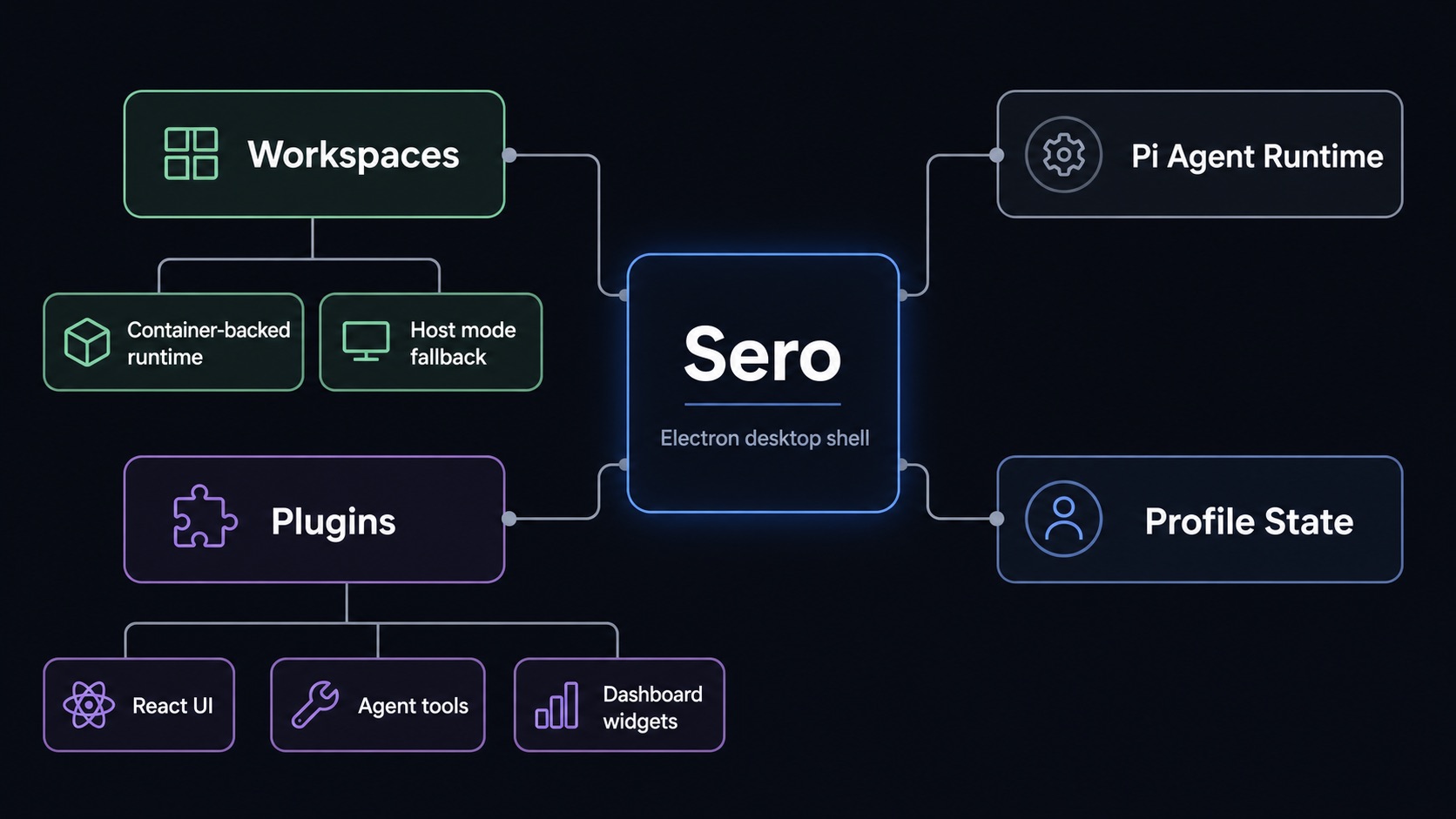
Sero combines three major layers:
- Electron desktop shell
- workspace/runtime orchestration
- Pi-based agent intelligence
At a high level:
- the Electron app provides the shell and UI
- workspaces define project scope and runtime mode
- Pi powers the agent sessions, tools, commands, and plugin extensions
Shell model
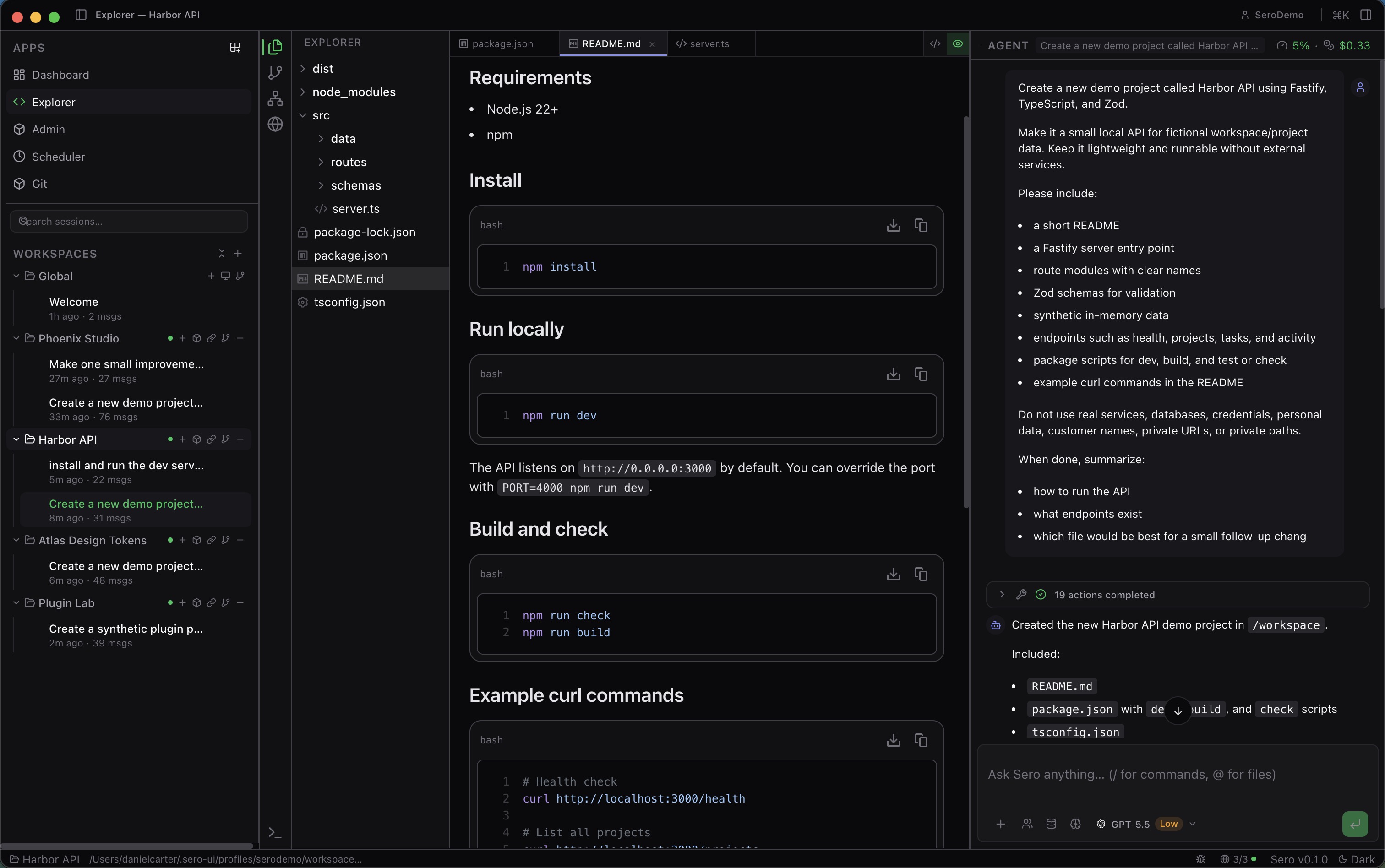
The shell has:
- a main sidebar for apps and workspace/session context
- an active app area
- a chat panel for the focused agent session
- a status bar for current state
App zoom changes the active app area. It does not change the title bar or status bar.
Workspaces
Workspaces are the main organizing unit. Each workspace has:
- a root directory on disk
- its own runtime mode
- its own sessions and context
- a
.sero-workspace.jsonconfiguration surface
Runtime modes
Container-backed (explicit choices)
Use Apple Container or Docker / Podman-backed workspaces when you want:
- better isolation
- containerized tooling
- browser automation from the runtime image
- better Linux parity
Host mode (default on supported platforms)
Host keeps core workflows available on supported platforms, but it is not feature-equivalent to container runtimes. Expect limits around browser automation, containerized tooling, and some managed preview/runtime behavior. See Support Scope for the canonical platform matrix and Containers and Host Mode for runtime-specific guidance.
Plugins
Sero supports plugin-provided UI, Pi extensions, runtime behavior, and provider metadata. Built-in plugins ship in-repo; external plugins can be installed from trusted sources.
Contributor architecture
Repository-wide implementation boundaries are in
ARCHITECTURE.md.