
Memory
Sero Memory is a built-in plugin (@sero-ai/plugin-memory). It gives the
agent the same context at the start of every session: who it is, who you are,
and the preferences and decisions you asked it to keep. See the
Plugin Catalog for the built-in plugin inventory.
What memory stores
Memory is three markdown files in the active profile's global workspace:
IDENTITY.md— the agent's name, style, and behaviour rulesUSER.md— your profile: name, role, location, stack, and communication styleMEMORY.md— preferences, decisions, and facts that later sessions must respect
The first session in a new profile asks you a few questions to write
IDENTITY.md and USER.md. MEMORY.md starts empty.
Avoid storing secrets, access tokens, private customer data, or anything you would not want sent to a model provider.
How memory reaches the agent
At the start of each session, Sero adds the three files to the agent's system prompt. Each file has a size limit, so the prompt stays small.
The files are read once per session. If the agent changes memory during a session, the change applies from the next session. This keeps the system prompt identical across turns, so model providers can cache it.
Ask the agent to remember or forget
Tell the agent in plain language:
The agent updates MEMORY.md with the memory tool. When a preference changes,
it replaces the old entry instead of adding a second one that contradicts it.
To change your profile or the agent's identity, ask for it the same way:
Memory commands
The agent uses these commands through sero-cli. You can also ask for them by
name:
To see entry ids before a replace or remove, use
sero memory read --target memory --with_ids true.
Slash command
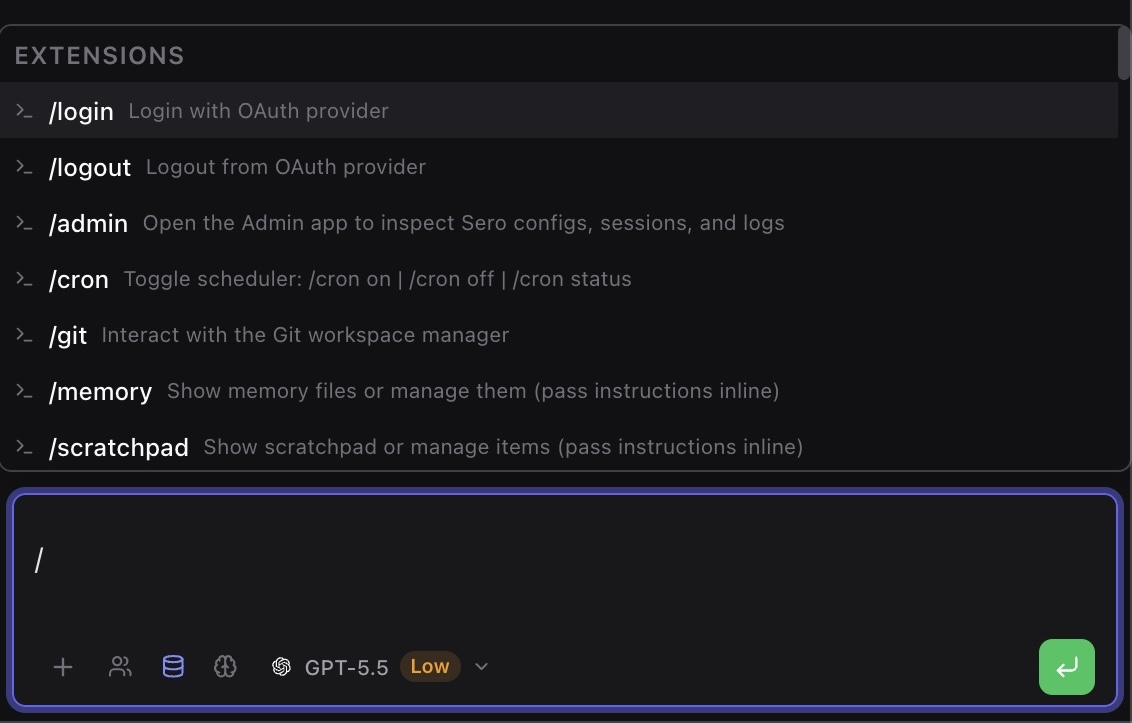
/memory asks the agent to show your memory files. Add an instruction to manage
them:
Where the data lives
<SERO_HOME> is profile-resolved. For the default profile it is usually
~/.sero-ui/, but custom profiles can use another root. For the canonical
storage map, see State and Folders.
Earlier versions of Sero also wrote daily logs to memory/daily/ and session
transcripts to memory/sessions/. Sero no longer writes or reads these folders.
You can delete them. The weekly memory-consolidation job in Scheduler is
removed automatically.
Privacy and safety
Memory is local profile state, but it can still be sensitive:
- The memory files are sent to whichever model provider handles a turn.
- Screenshots of the files can expose private facts if you include them in support reports.
- Do not store passwords, API keys, recovery codes, financial data, or private third-party data in memory.
Limits
- Memory is not a record of past conversations. It holds only what you or the agent chose to save.
- Each file has a size limit. When
MEMORY.mdis full, the agent must replace or remove old entries before it adds new ones. - If something matters for the current task, say it in the prompt. Do not rely on memory for it.