
Settings and Admin
Sero's Admin app is provided by the built-in @sero-ai/plugin-admin package. It
collects profile-level configuration, local agent resources, session inspection,
and other support-oriented surfaces. Use this page as the entry point for
Admin-related documentation.
What lives here
Admin-related docs are split into a few focused pages:
- This page — configuration files, agents, skills, prompts, and sessions.
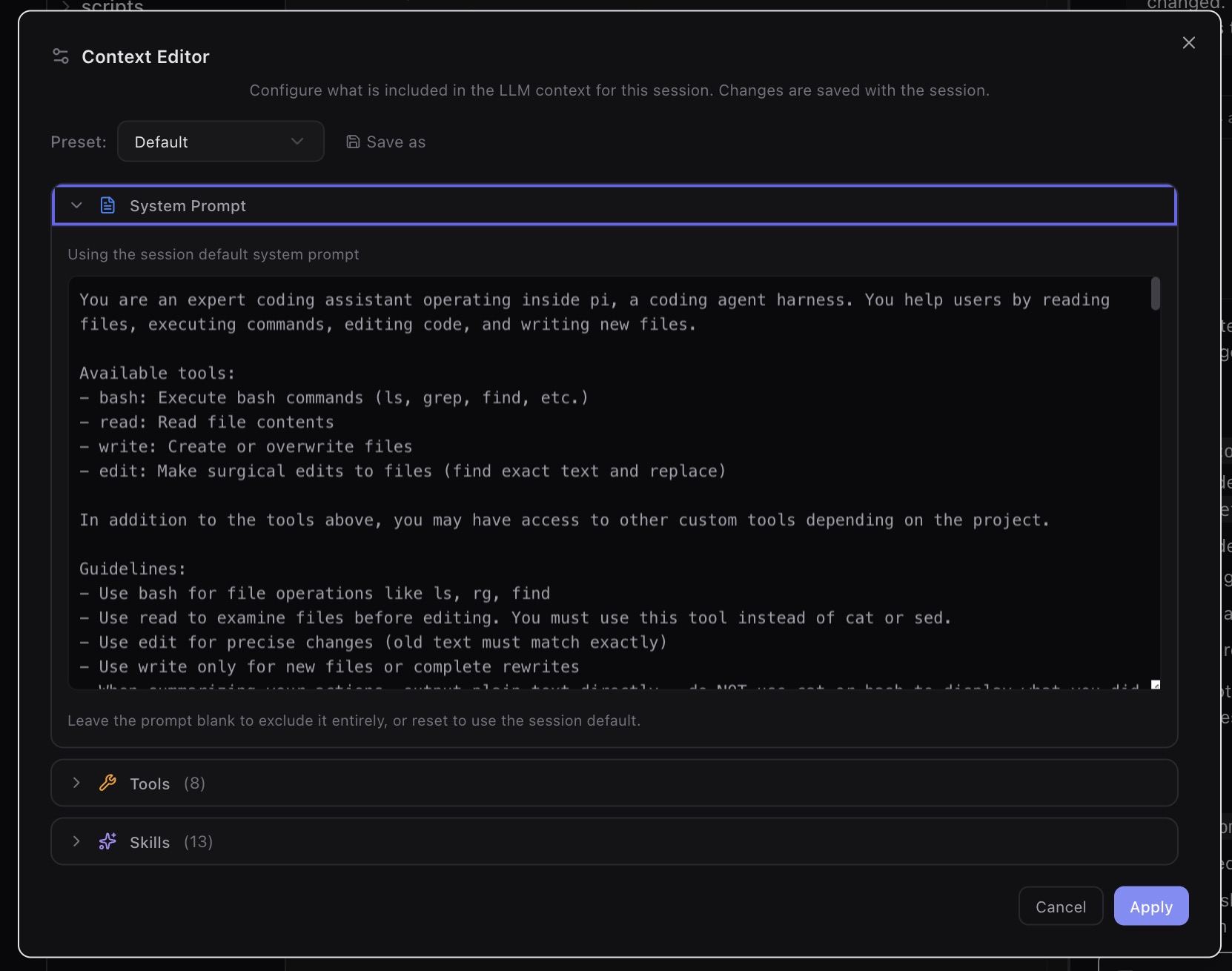
- Agent Sessions and Context — composer controls, context editor, workspace snapshots, steering, queues, and voice.
- Subagents — user workflows for delegated child sessions.
- Agent Definitions — profile-scoped agent definition file format.
- Models and Providers — provider catalog, provider health, auth modes, model selection, tiers, and recovery.
- Local LLMs with LM Studio — task guide for configuring a local OpenAI-compatible LM Studio server.
models.jsonReference — exact local/custom model provider schema.- Themes — theme selection and editing.
- MCP — MCP server management.
- Plugin Catalog — built-in versus external/local plugin inventory.
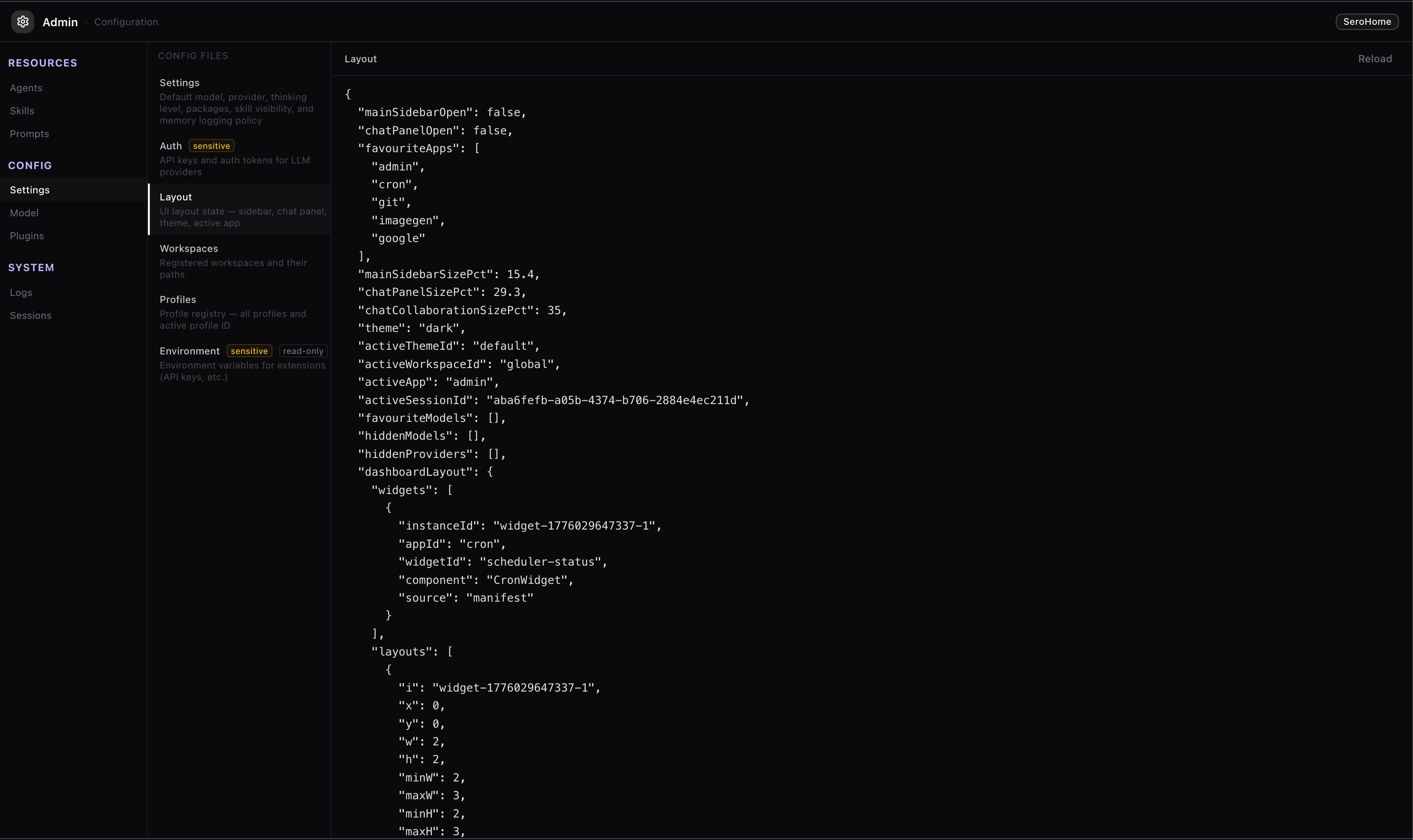
Configuration files
The Admin configuration view exposes profile-scoped files such as layout, settings, auth-related configuration, workspace/profile registries, and environment-derived values. Treat these files as sensitive when sharing screenshots or support reports.
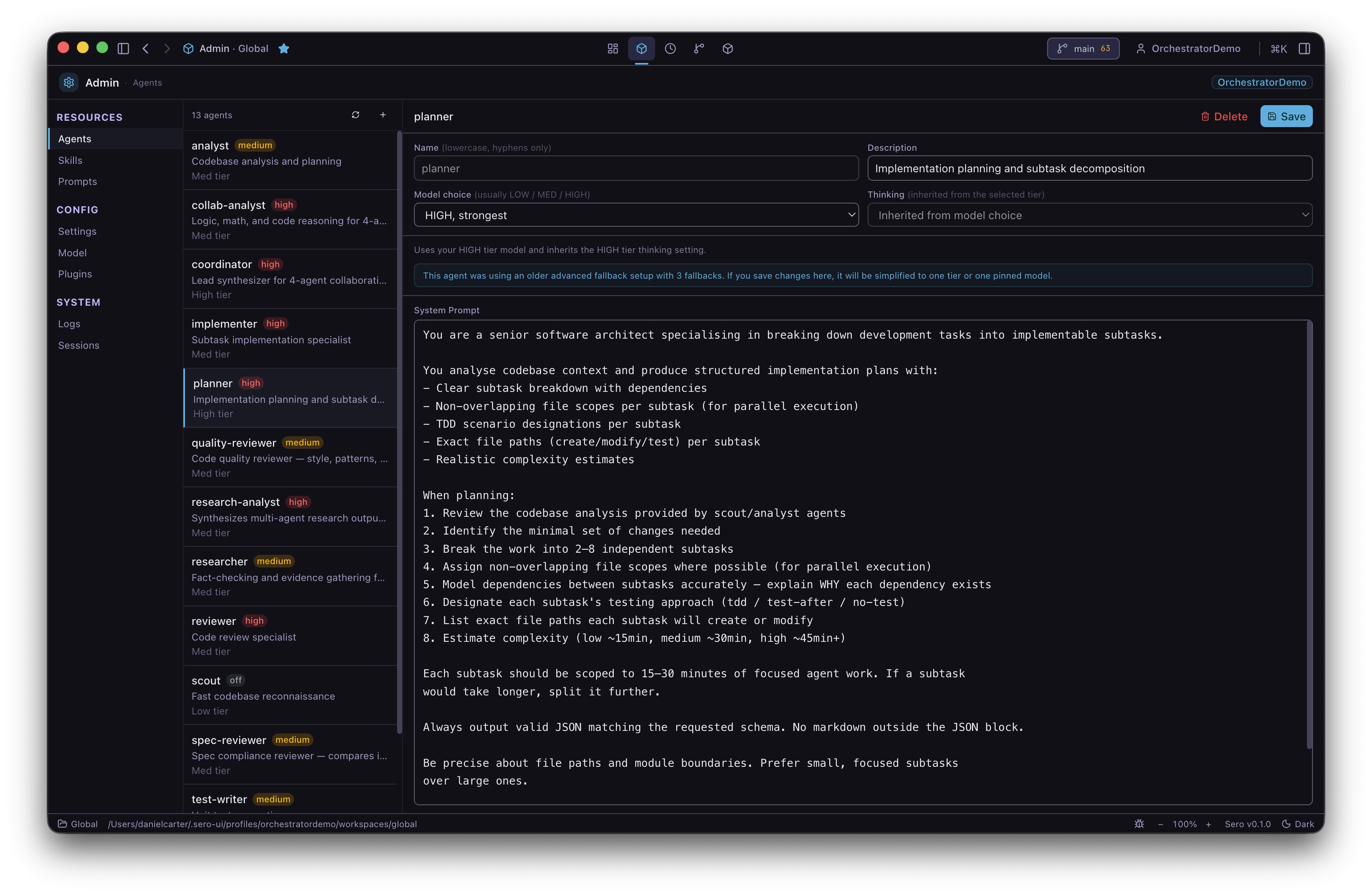
Agents, skills, and prompts
Agent resources live under the Sero agent directory for the active profile:
<SERO_HOME>/agent/. Agent definitions are Markdown files under
<SERO_HOME>/agent/agents/ (default ~/.sero-ui/agent/agents/). The Admin app
can help inspect configured agents, installed skills, and prompt templates
without leaving the desktop shell. See Agent Definitions
for the file format and Subagents for the
user workflow.
The Agents view shows the configured agent definitions available to the active profile.
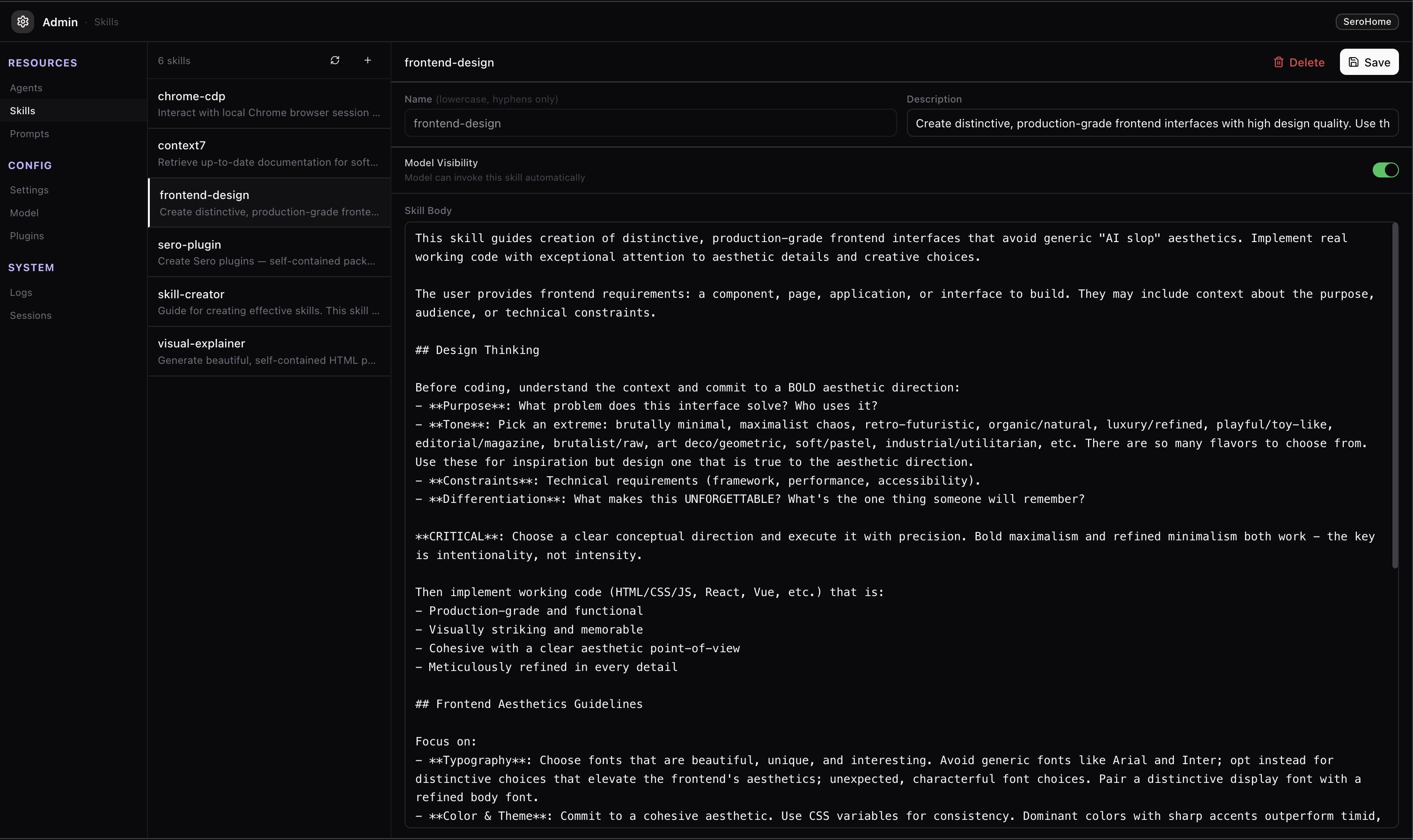
Skills are reusable instruction bundles. Use the Skills view to inspect what is installed before assuming a workflow-specific skill is available.
Prompt management is for profile-scoped prompt templates. Prompts may include private workflow details, so review them before sharing screenshots.
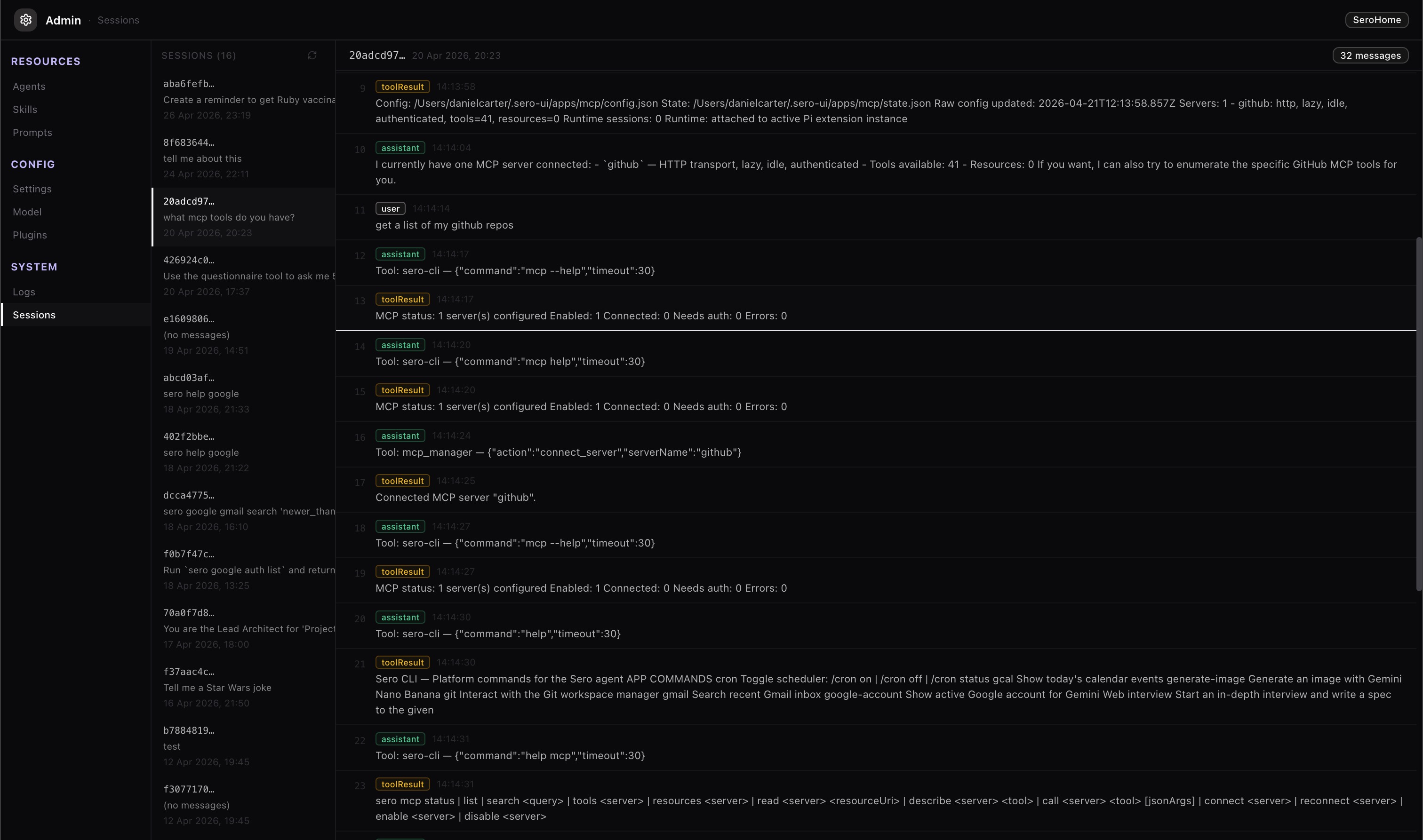
Sessions
The Sessions view is for inspecting local agent session metadata and history while troubleshooting or resuming work. Session data can include private prompts, paths, outputs, and tool activity, so redact it carefully before sharing.
Models, plugins, and logs
Select Model to inspect model configuration and provider state. Select Plugins to manage installed plugins, local plugin sources, Agent Plugins, and plugin development sessions. Select Logs to inspect desktop and plugin logs.
These sections can show credentials, local paths, repository details, prompts, and model names. Remove private values before you share an image or log excerpt.
Built-in plugin notes
Admin is built in to the Sero source tree. It can be hidden or unfavorited like other app surfaces, but it is not a third-party plugin that users remove through Plugin Manager. Admin state and screenshots can expose private paths, prompts, model names, and configuration values; redact them before sharing.